How to Reactivate a Closed Stake Account
Having your account closed at Stake casino can be frustrating, especially if you have an unfinished game session or a pending withdrawal. This guide provides a clear, step-by-step walkthrough of the reactivation process, detailing the common reasons for closure, the documents you’ll need, and what to expect in terms of timing. We’ll cut through the vague promises and give you the concrete information required to get back to playing.
Common Reasons for Account Closure
Before initiating reactivation, it’s crucial to understand why your account was closed. The most frequent reasons include prolonged inactivity, self-exclusion periods, failed security checks, or a breach of terms and conditions. For instance, an account is often flagged for closure after 12-18 months of no login activity. If you voluntarily self-excluded, the closure is temporary for the duration you selected. Understanding the cause is the first step to resolving it.
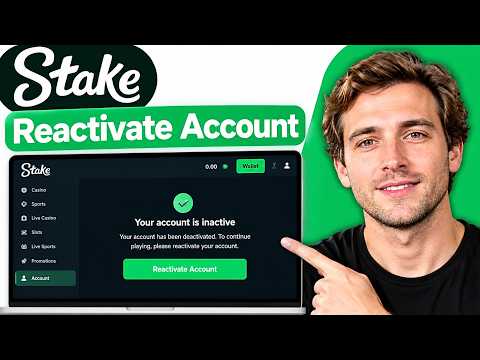
Step-by-Step Reactivation Process
Reactivating your account is typically a straightforward process handled by customer support. Follow these steps precisely to ensure a smooth reinstatement.
- Contact Support: Use the live chat or email support (support@stake.com) from the registered email address. Clearly state your request to reactivate your Stake account.
- Verify Your Identity: Be prepared to provide answers to security questions and copies of identification documents to prove ownership.
- Await Confirmation: The support team will review your request and inform you of the outcome via email, usually within 24-48 hours.
- Log In: Once reactivated, you can use your Stake login credentials to access your account and all its funds.
Required Documents for Verification
To comply with KYC (Know Your Customer) regulations, you will almost certainly need to re-verify your identity. This is a standard security procedure. Have digital copies of the following documents ready to send upon request. All documents must be valid, clear, and show all four corners.
| Document Type | Purpose | Accepted Formats |
|---|---|---|
| Government-Issued Photo ID | Verifies your identity and age (e.g., passport, driver’s license). | JPG, PNG, PDF |
| Proof of Address | Confirms your residential address (e.g., utility bill, bank statement less than 3 months old). | JPG, PNG, PDF |
| Payment Method Proof | Verifies ownership of your deposited payment method (e.g., screenshot of e-wallet account). | JPG, PNG |
Typical Timelines and What to Expect
The reactivation process is not instantaneous. You should manage your expectations regarding how long each stage will take. For simple inactivity closures, reactivation can be completed within a few hours. However, if your closure was due to a more complex security review or a past self-exclusion, the process may take several business days as it requires manual checks by different departments. Throughout the process, maintain communication with support.
Troubleshooting Common Reactivation Problems
Sometimes, the reactivation process hits a snag. Here are solutions to frequent issues players encounter:
- No Response from Support: If you don’t hear back within 48 hours, check your spam folder and then send a polite follow-up email.
- Document Rejection: Ensure your documents are not expired, are fully visible, and match the name on your account exactly.
- Account Cannot Be Reactivated: If your account was permanently closed due to a severe terms of service violation, reactivation is not possible.
Post-Reactivation: Checking Bonuses and Balances
Once your account is successfully reinstated, carefully check your balance and transaction history to ensure everything is as you left it. Any pending withdrawals should resume processing. It’s also wise to check the promotions page to see if you are eligible for any Stake bonus offers; sometimes, a welcome-back Stake no deposit promotion or Stake free spins are available to returning players. Always remember to enter any valid Stake promo code in the cashier before claiming an offer.
If you are ready to begin, your first step is to complete your Stake login and contact the support team directly.